How we rebuilt the Foresight website
A new Foresight needed a new website. Here’s the thinking, experiments and decisions behind it.
Jonny Campbell · · 16 min read

- Scope
- Brand, logo, website, product pictures, photography, drawings, film and blog covers
- Pages
- 45 project, platform, area and sector pages
- Made by
- Jonny Campbell
Foresight tracks the regulations that affect what a company makes and where it sells, and runs the work that follows as projects. The old website still put monitoring first. The new one had to show the whole platform, from the regulation to the finished work.
01
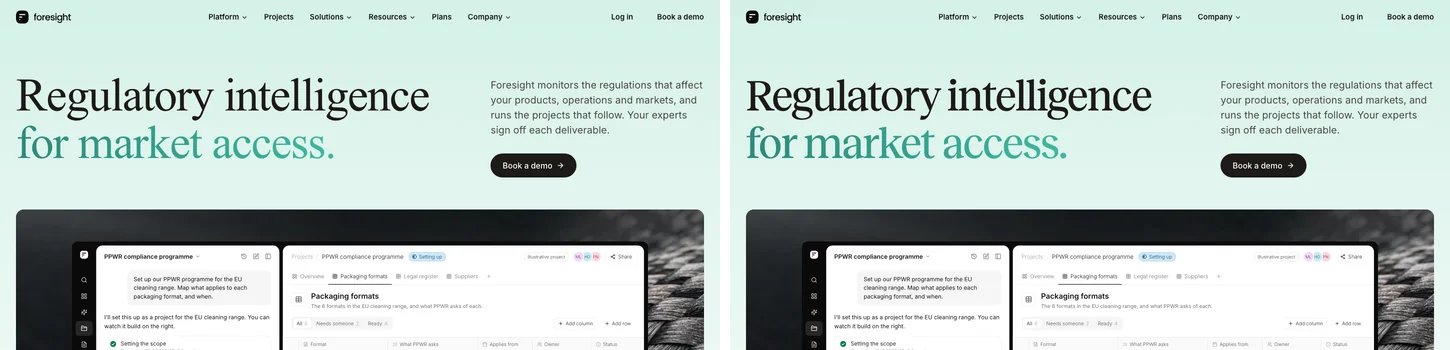
Before and after
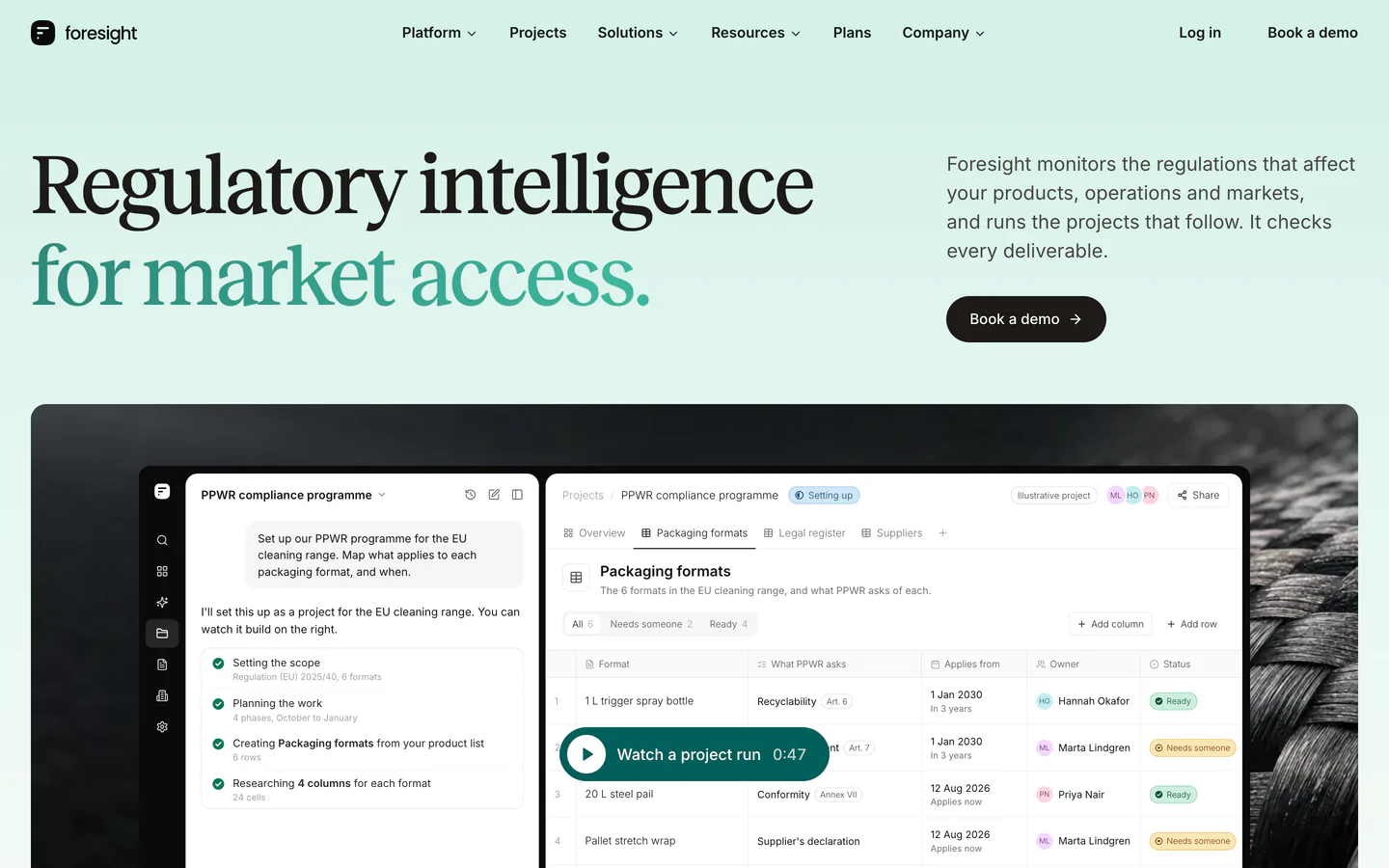
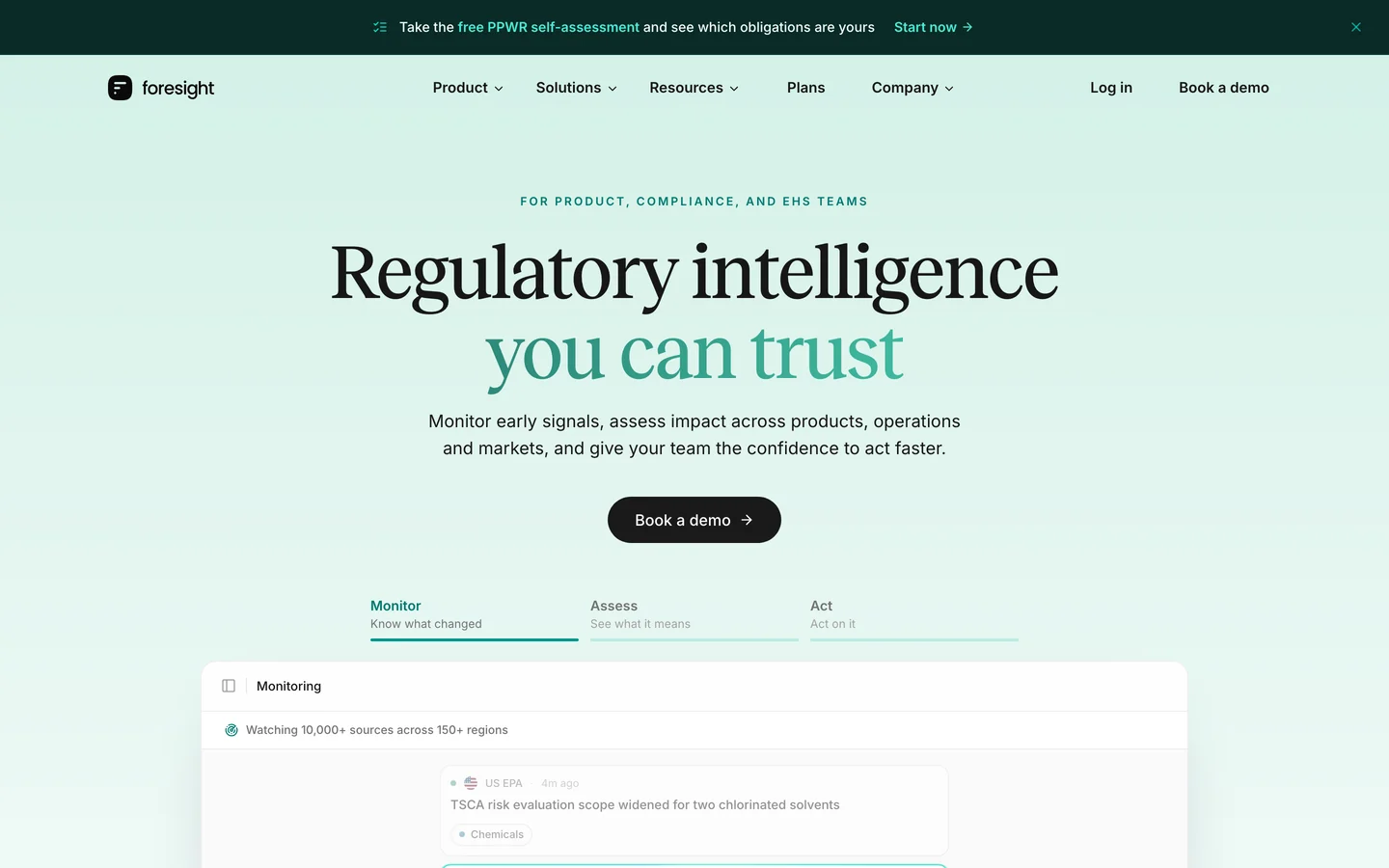
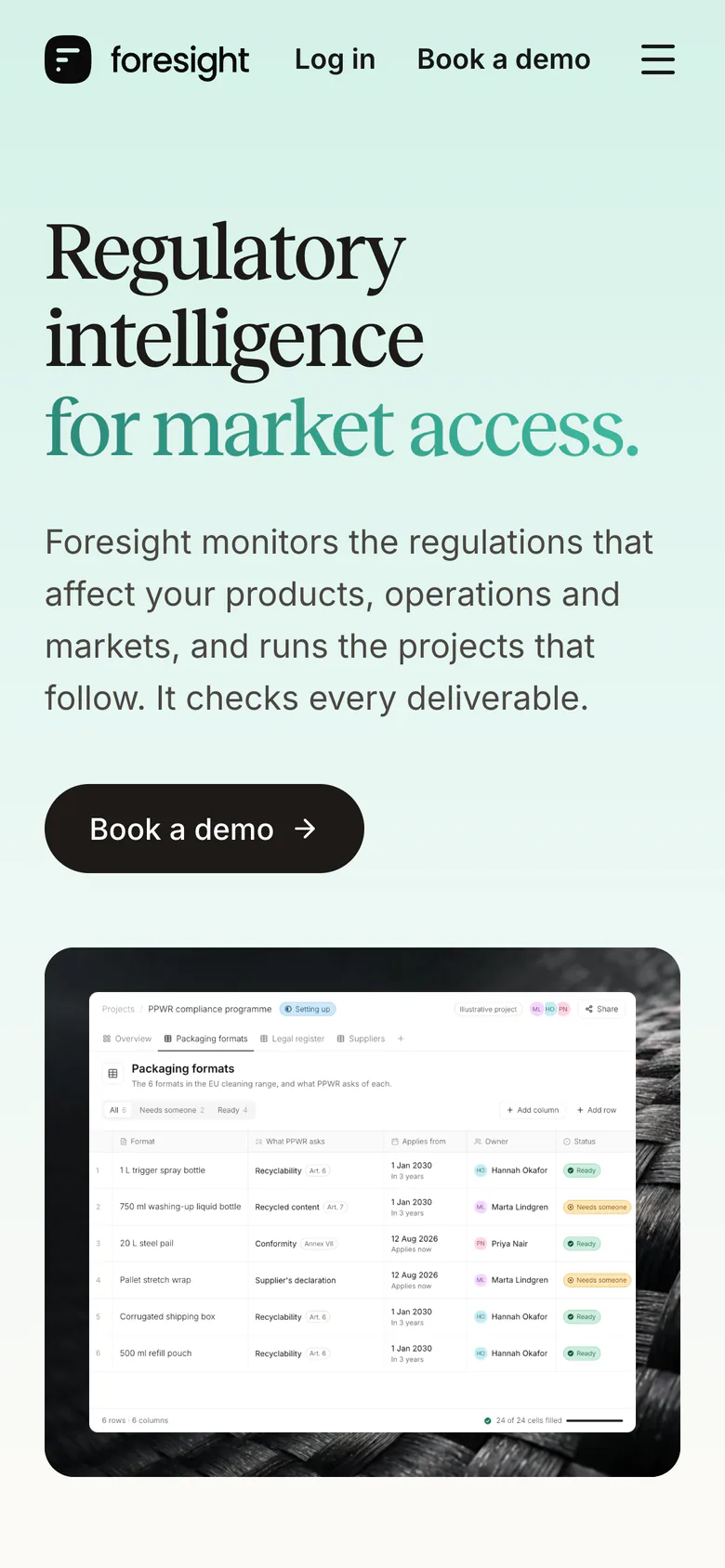
Our old pages explained the product in the abstract. The new ones open on the product at work, such as a PPWR programme filling in its table of packaging formats.
Drag across a page to compare the two at the same window size.
02
Product pictures
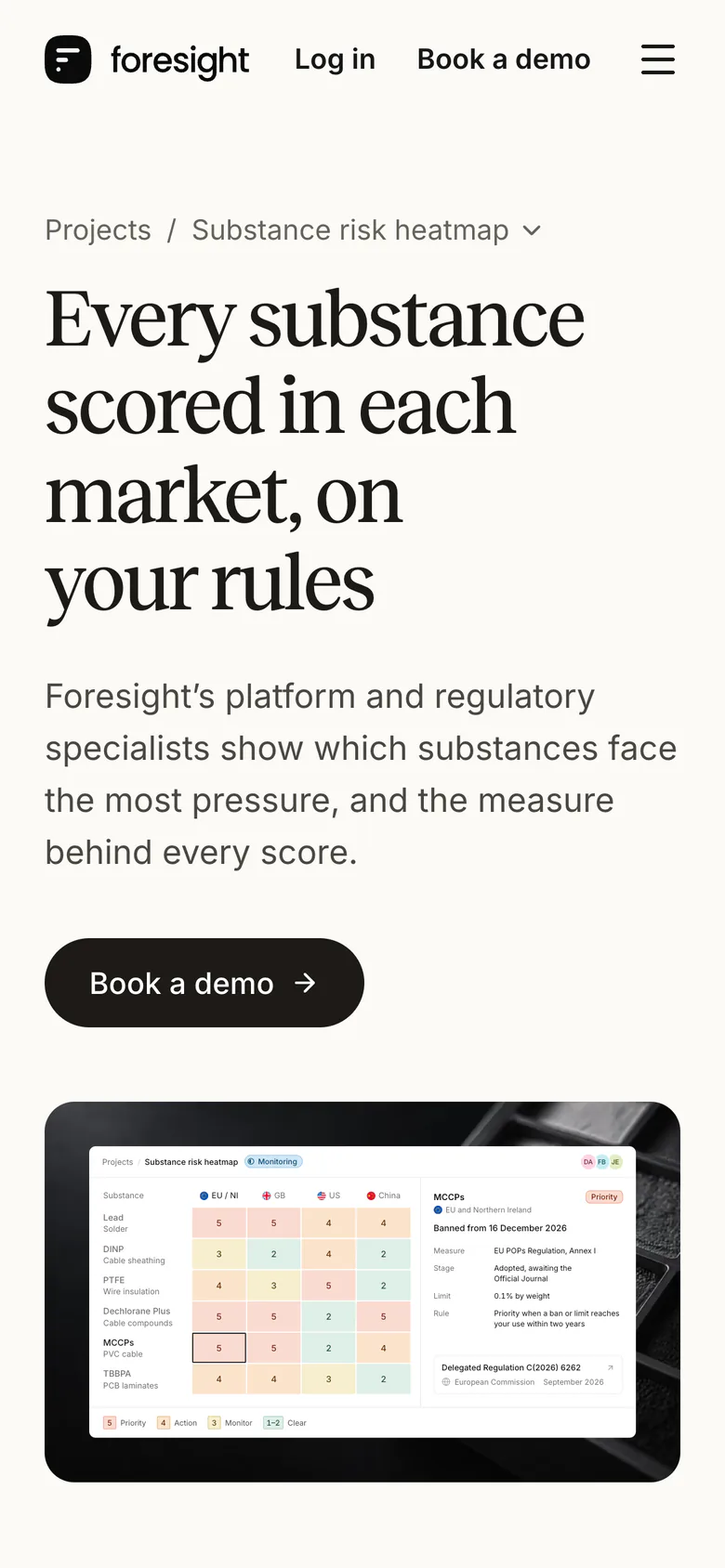
A screenshot blurs when it’s scaled, and if something changes, it means updating it again, so you typically have to choose evergreen content that won’t go out of date. We chose to create every picture of the product on the site in code instead, as a copy of the product’s screen in its own fonts and colours.
ProjectsSubstance risk heatmap
- Daniel Achebe
- Fatima Bello
- Jonas Eriksen
| Substance |  EU / NI EU / NI |  GB GB |  US US |  China China |
|---|---|---|---|---|
| Lead Solder | ||||
| DINP Cable sheathing | ||||
| PTFE Wire insulation | ||||
| Dechlorane Plus Cable compounds | ||||
| MCCPs PVC cable | ||||
| TBBPA PCB laminates |
- 5Priority
- 4Action
- 3Monitor
- 1–2Clear
Lead EU and Northern Ireland
Solder exemption up for renewal
- Measure
- EU RoHS Directive, Annex III
- Expires
- 30 June 2027, unless renewed
- Named uses
- 7(a)-I to VII, to 31 December 2027
- Rule
- Priority when an exemption you rely on ends within two years

Lead Great Britain
Limited to 0.1% by weight
- Measure
- GB RoHS Regulations 2012
- Exemption
- Solder 7(a) awaits a GB decision
- Rule
- Priority when a ban or limit reaches your use within two years
Lead United States
Short-form labels change 1 January 2028
- Measure
- California Proposition 65
- Stage
- Warning duty in force
- Short form
- Must name a chemical
- Rule
- Action when a duty applies and no state bans your use

Lead China
Lead must be marked, not limited
- Measure
- China RoHS Administrative Measures
- Standard
- Mandatory from 1 August 2027
- Rule
- Action when a duty applies and no listed ban reaches your use
DINP EU and Northern Ireland
Under evaluation, nothing proposed
- Foreseen
- Restriction or authorisation
- In force
- Toys and childcare only
- Hazard
- No EU classification
- Rule
- Monitor while the substance is under evaluation

DINP Great Britain
Limited in toys, not in cables
- In force
- Toys and childcare only
- Checked
- GB RoHS, UK REACH, GB MCL
- As of
- 6 October 2026
- Rule
- Clear when nothing reaches your use
DINP United States
Needs a warning in California
- Listed
- 20 December 2013
- Safe level
- 146 µg a day
- TSCA rule
- Expected to focus on sprays
- Rule
- Action when a duty applies and no state bans your use
DINP China
Limited in toys, not in cables
- In force
- Toys that can go in the mouth
- Checked
- GB 26572-2025 and MEE lists
- As of
- 6 October 2026
- Rule
- Clear when nothing reaches your use
PTFE EU and Northern Ireland
Restriction proposed, no date set
- Measure
- EU PFAS restriction under REACH
- Cables
- No derogation in SEAC’s draft
- Opinions
- RAC final, SEAC draft
- Rule
- Action when a measure is coming, with no date yet
PTFE Great Britain
Under study, nothing proposed
- Measure
- Defra’s PFAS Plan
- Studying
- UK fluoropolymer use
- Rule
- Monitor until GB takes the EU’s step
PTFE United States
Minnesota ban from 1 January 2032
- Measure
- Minnesota’s PFAS law, Amara’s Law
- Stage
- Reporting in force
- Exception
- Currently unavoidable use
- Rule
- Priority when a state you sell in bans your use, whatever the date
PTFE China
Nothing in force or proposed
- Checked
- MEE new pollutant and priority lists
- PFOA entry
- Excludes fluoropolymers
- As of
- 5 October 2026
- Rule
- Clear when nothing reaches your use
Dechlorane Plus EU and Northern Ireland
Banned since 15 October 2025
- Measure
- EU POPs Regulation, Annex I
- Limit
- 1 mg/kg from 15 April 2028
- Exempt
- Spare parts and repair only
- Rule
- Priority when a ban or limit reaches your use within two years
Dechlorane Plus Great Britain
Ban planned from December 2026
- Measure
- GB POPs Regulation, Annex 1
- Stage
- To be laid in October 2026
- Limit
- The EU’s trace limits
- Rule
- Priority when a ban or limit reaches your use within two years
Dechlorane Plus United States
Nothing in force or proposed
- Checked
- TSCA, Work Plan, Prop 65, state laws
- As of
- 5 October 2026
- Rule
- Clear when nothing reaches your use
Dechlorane Plus China
Banned since 1 January 2024
- Measure
- MEE New Pollutants List
- Covers
- Production, processing use, import, export
- Exempt
- Lab research and unintended traces
- Rule
- Priority when a listed ban reaches your use
MCCPs EU and Northern Ireland
Banned from 16 December 2026
- Measure
- EU POPs Regulation, Annex I
- Stage
- Adopted, awaiting the Official Journal
- Limit
- 0.1% by weight
- Rule
- Priority when a ban or limit reaches your use within two years
MCCPs Great Britain
Ban planned from December 2026
- Measure
- GB POPs Regulation, Annex 1
- Stage
- To be laid in October 2026
- Limit
- 0.45% in articles
- Rule
- Priority when a ban or limit reaches your use within two years
MCCPs United States
Nothing in force or proposed
- Checked
- TSCA, Work Plan, Prop 65, state laws
- Work Plan
- Listed, not prioritised
- As of
- 5 October 2026
- Rule
- Clear when nothing reaches your use

MCCPs China
List revision due in 2026
- Measure
- MEE New Pollutants List
- Stage
- MCCPs not yet listed
- As of
- 5 October 2026
- Rule
- Action when a listed measure is coming
TBBPA EU and Northern Ireland
Must inform customers above 0.1%
- Measure
- REACH, Candidate List of SVHCs
- Listed
- 17 January 2023
- Rule
- Action when a duty applies
TBBPA Great Britain
Must inform customers above 0.1%
- Measure
- UK REACH, Candidate List of SVHCs
- Listed
- 15 June 2026
- Rule
- Action when a duty applies

TBBPA United States
Under evaluation, no rule proposed
- Measure
- TSCA risk evaluation, TBBPA
- Draft
- Board use doesn’t drive the risk
- Rule
- Monitor while the substance is under evaluation
TBBPA China
Nothing in force or proposed
- Checked
- MEE new pollutant and priority lists
- As of
- 5 October 2026
- Rule
- Clear when nothing reaches your use

03
Type
We use Reckless for headings and Inter for everything else.
From 1024 px wide, any text a reader needs is at least 15 px. That rule was hardest to keep inside the product pictures. When a table didn’t fit at 15 px, we cut rows or columns and left the text size alone.
- Face
- Reckless
- Role
- Headings, from the hero to a card’s title
- Cuts
- Medium and SemiBold, upright only
- Foundry
- Displaay
- Face
- Inter
- Role
- Reading text, labels and every product picture
- Cuts
- Regular, Medium and SemiBold
- Designer
- Rasmus Andersson
Display · 88 px
Market access
Title · 40 px
Foresight checks every score against its source
Statement · 32 px
Regulatory work, run as projects.
Lead · 20 px
Foresight monitors the regulations that affect your products and markets.
Body · 17 px
Each cell opens to the rule behind it, with the source and the date it was checked.
Small · 15 px
The smallest size on the site from 1024 px wide. Captions and labels use it.
04
Colour
Most of the site sits on paper, sand and sage. They’re close enough in tone to separate areas without pulling the eye. Deep teal appears only where a page opens and where it closes.
Paper
#FBFAF6
The page
Sand
#F2EFE8
Level 0 and tints
Sage
#E3EBE6
Feature mounts
Wash
#E9E4DC
Quiet fills
Rule
#D8D3CC
The one hairline
Ink
#1D1A16
Headings and the button
Deep teal
#022F2E
Where a page opens or closes
- Status
- Where the work has got to. A round pill with a small step icon.
- Status: Not startedStatus: In progressStatus: In reviewStatus: Done
- Level
- How much attention a record needs from you. A square chip.
- 2Clear3Monitor4Action5Priority
- Label
- What something is. An outline with no fill.
- In forceRule proposedIllustrative
- People and pending
- Each person keeps one colour everywhere. A dashed outline marks a value that’s still being worked out.
- Hannah Okafor
- Daniel Achebe
- Priya Nair
- Jonas Eriksen
05
Photography
Where a page has a photograph, it opens on something its readers would know from work: turbine blades for aerospace, seeds for crop protection, a jerrycan for a PPWR programme.
We used an image model to generate all fifty-two. They’re close up, nearly black and white and lit softly from the upper left, with a quiet space on the left for a headline. Each one shows something people make.
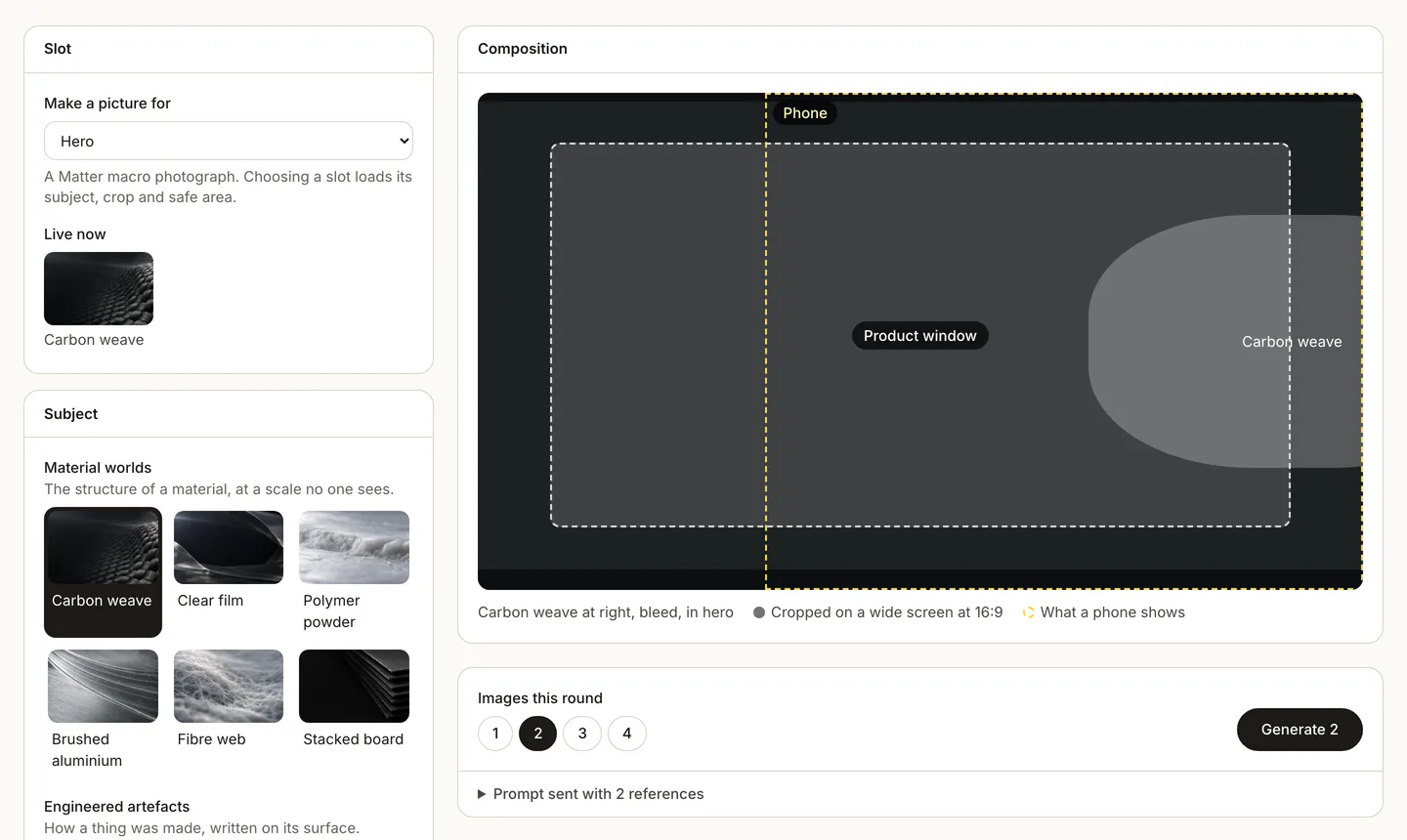
We made them in a studio of our own. It writes every prompt from one art direction, measures each picture against the rest and shows it in its slot before we decide whether to keep it.

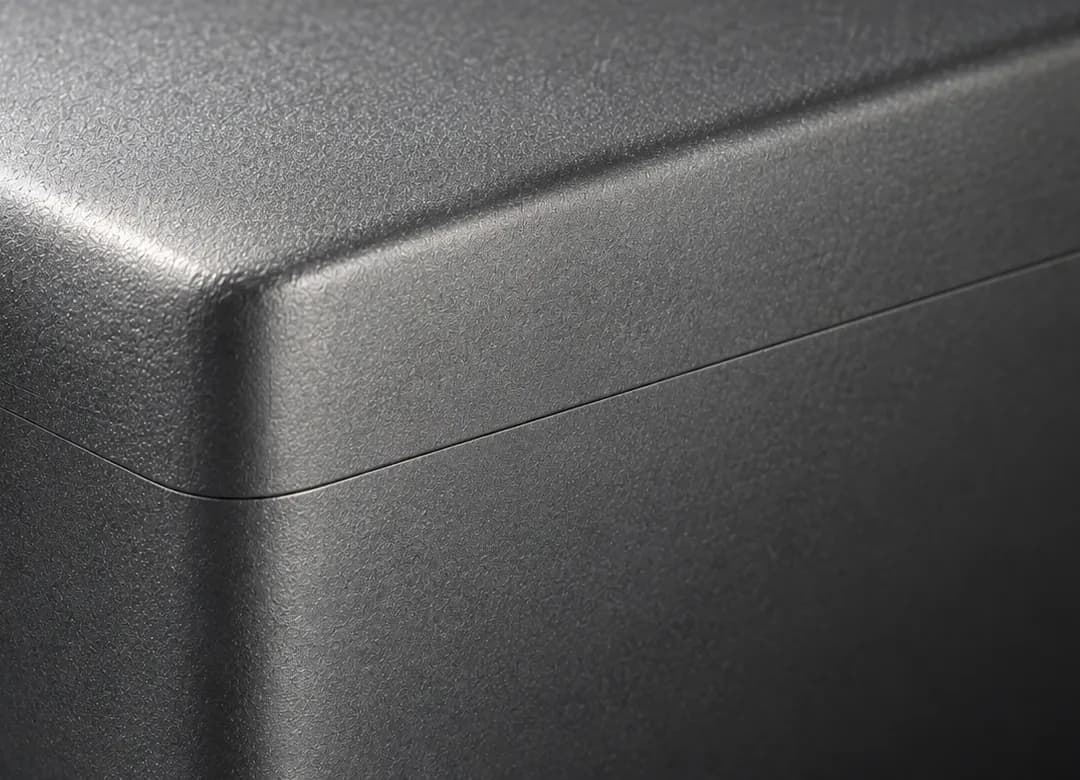

Chemicals · Crystals

Product safety · Appliance vents

Sustainability and ESG · Corrugated board

EHS · A respirator filter

Consultancies · Hanging file folders

Trade associations · Steel wire rope




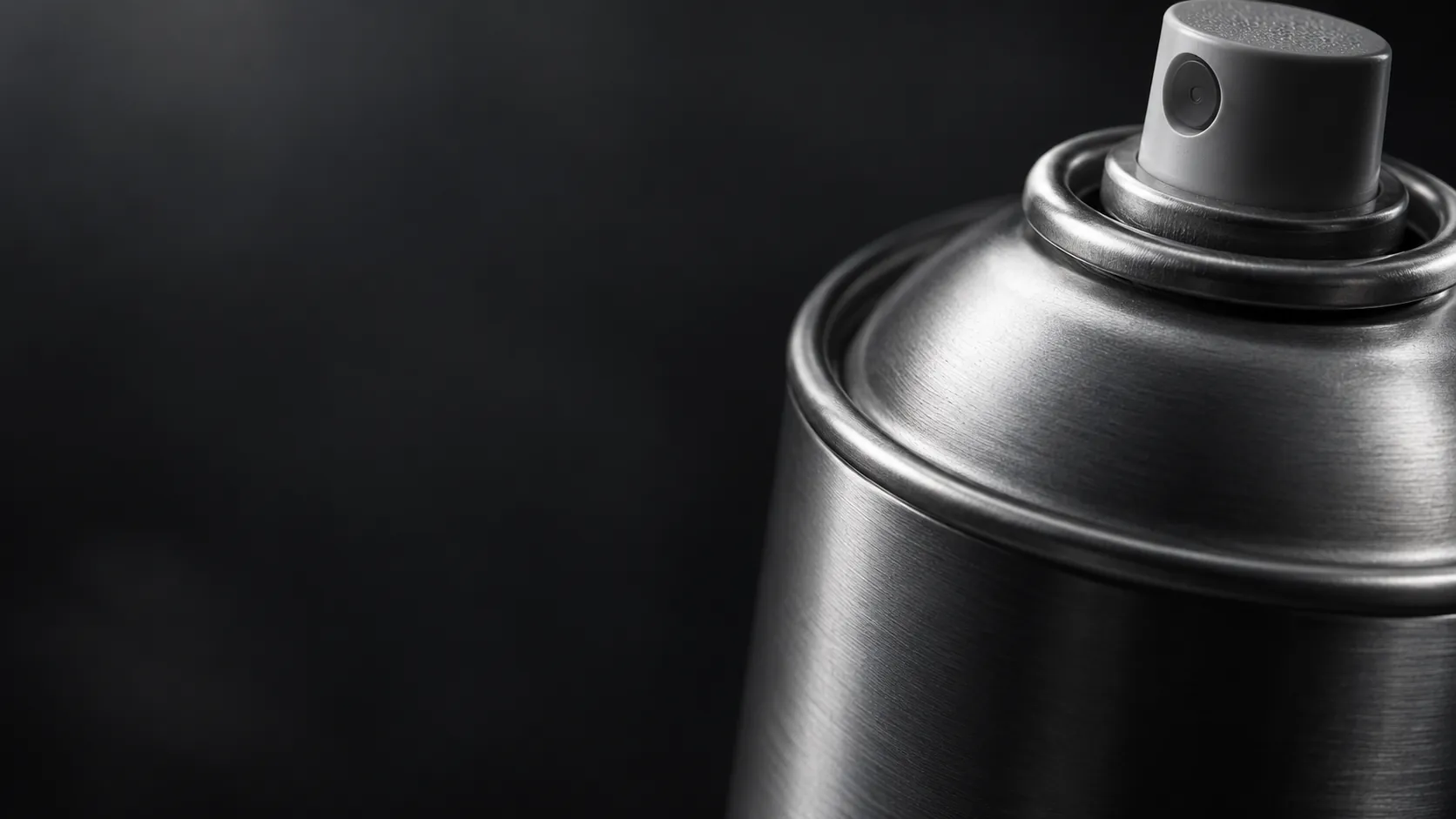






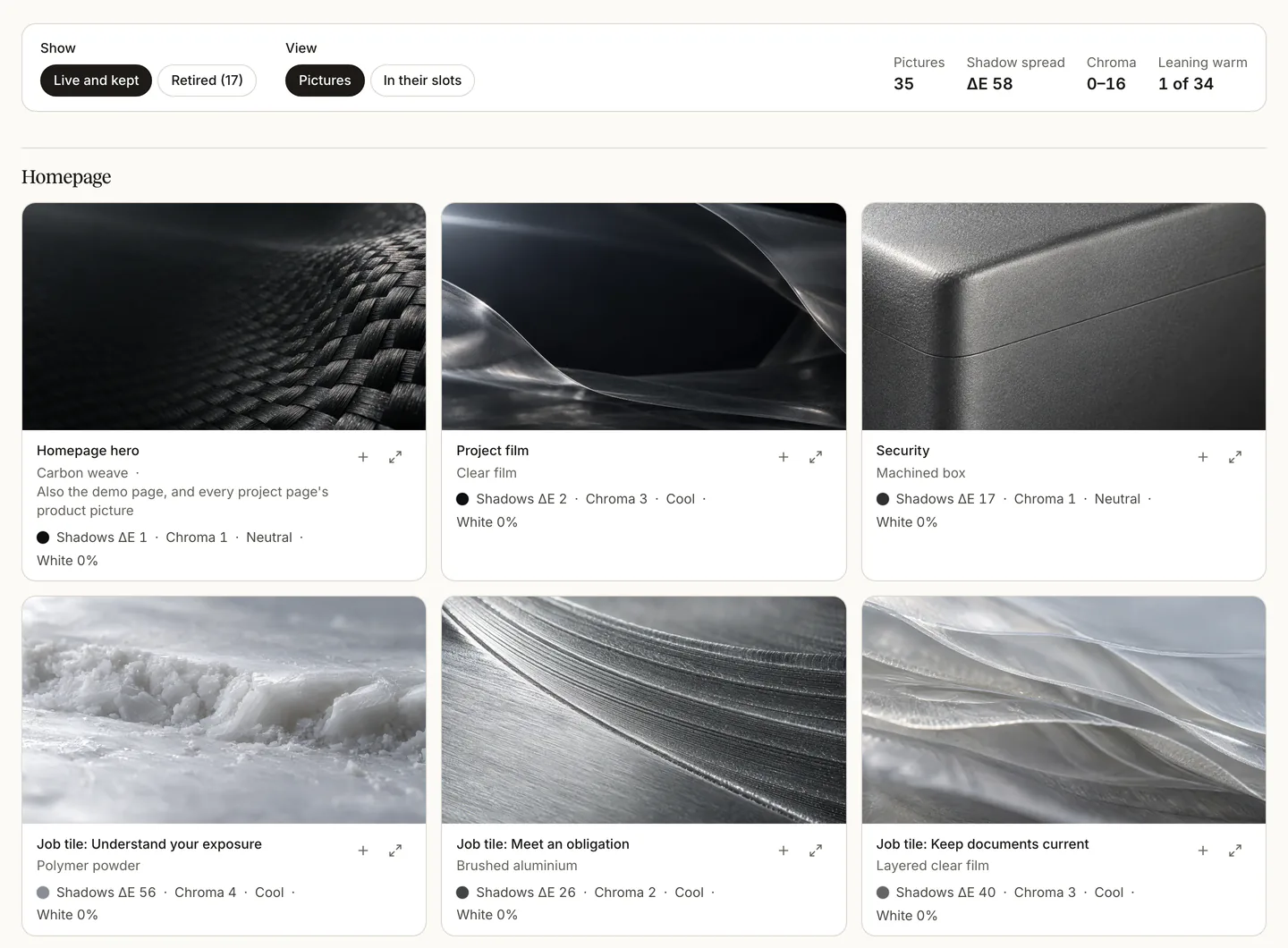


Substance risk heatmap · Graded powder tray

Global legislation register · Card index cabinet

Portfolio impact assessment · A range of closures

PFAS portfolio review · Non-stick pan

Market entry requirements · Shipping container doors

Substitution screening · Two-pan balance

Sustainable procurement review · Timber pallet

PPWR compliance programme · HDPE jerrycan

EPR reporting · Recycling bale

REACH registration dossiers · Dossier wallet

CLP classification and labelling · Blank diamond labels

Poison centre notifications · Trigger spray head

SCIP notifications · LED light engine

TSCA reporting · Drum lid and bung

Plant protection product dossier · Sprayer boom nozzles

Biocidal product dossier · Disinfectant wipes canister

Customer compliance declarations · Clipboard clip

Safety data sheet authoring · Fountain pen nib

Safety data sheet change management · Pencil eraser

REACH dossier updates · Lever arch mechanism

Workplace chemical risk assessments · Respirator cartridge

Occupational exposure limit review · Precision gauge

Regulatory horizon scanning · Binoculars

Scientific literature monitoring · Microscope objectives

Consultation tracking · Conference microphone
06
The logo
We set out to tweak the logo. First we measured the mark in the site’s header, scaled to a 60-unit square.
Up close, its bars’ ends weren’t round. Each end was half an ellipse. The long bar’s reached 5% further than a round end, and the short bar’s stopped 12% short. The two gaps both measured 6.43 units. A round shape looks further away than a flat one, so the gap above the dot looked wider.
We rounded the ends and made the bars and dot 6 units tall, a tenth of the mark. We lifted the dot one unit towards the short bar. The gap above the dot is now 6 units, and the gap between the bars 7. The container’s curve stayed as it was.
Then we built the mark in code from five numbers. Its bars and dot sit on a lattice of three columns and three rows, 13 units apart. The long bar runs two steps, the short bar one and the dot none, so a dot is a bar with no run. Every edge lands on a whole unit, and the logo files and icons come from the same code.
The same three parts, a dot, a short line and a long line, make the Signals field and the platform heroes’ ground, which come next.
Before and after
The old glyph in ink, with the new one traced over it in teal
The long bar’s end
It reaches 5% further than a round end, dashed
The short bar’s end
It stops 12% short of a round end, dashed
| In units of 60 | Before | After |
|---|---|---|
| Ends | Half ellipses | Half circles |
| Weight | 5.36 | 6 |
| Long bar | 30 | 32 |
| Short bar | 15 | 19 |
| Gap between the bars | 6.43 | 7 |
| Gap above the dot | 6.43 | 6 |
| Gap to the word | 25.47 | 26 |
- Exponent · 3.18
- The container’s curve, |x|ⁿ + |y|ⁿ = 1. A circle is 2, and a higher number is squarer.
- Weight · 6
- The dot’s diameter and each bar’s height, a tenth of the mark.
- Pitch · 13
- The lattice step. The short bar runs one step and the long bar two.
- Drop · 1
- The lattice sits one unit below centre, against the long bar’s weight at the top.
- Lift · 1
- The dot rises one unit towards the short bar, because a round shape looks further away than a flat one.
- Corner · 0.804
- Where the curve crosses the diagonal, as a share of the half-width. The old header mark crossed at the same point, so the curve stayed.
- Exponent · 3.18
- The superellipse that crosses there. A circle crosses at 0.707, and an exponent of 5 at 0.871.
- Cubics · 8
- One for each eighth of the container. None strays more than 0.011 of a unit from the true curve, so eight curves draw the whole container.
- Gap
- Two lattice steps between the mark and the word
- Baseline
- On the dot’s lower edge
- Clear space
- Two steps on every side
- Smallest
- 24 px tall for the lockup, 20 px for the mark alone

16 px
Bars 2 px tall, with gaps of 2 px

32 px
Bars 3 px tall, with gaps of 4 and 3 px
64 px and up
Drawn straight from the numbers, with no snapping
Paper
Ink mark, 19:1
Sand
Ink mark, 17.2:1
Sage
Ink mark, 16.3:1
White
Ink mark, 19.8:1
Deep teal
White mark, 14.5:1
Teal
White mark, 7.6:1
Ink
White mark, 17.3:1
Lichen
White mark, 5.4:1
Stone
White mark, 5.4:1
Product black
White mark, 19.8:1
07
The Signals field
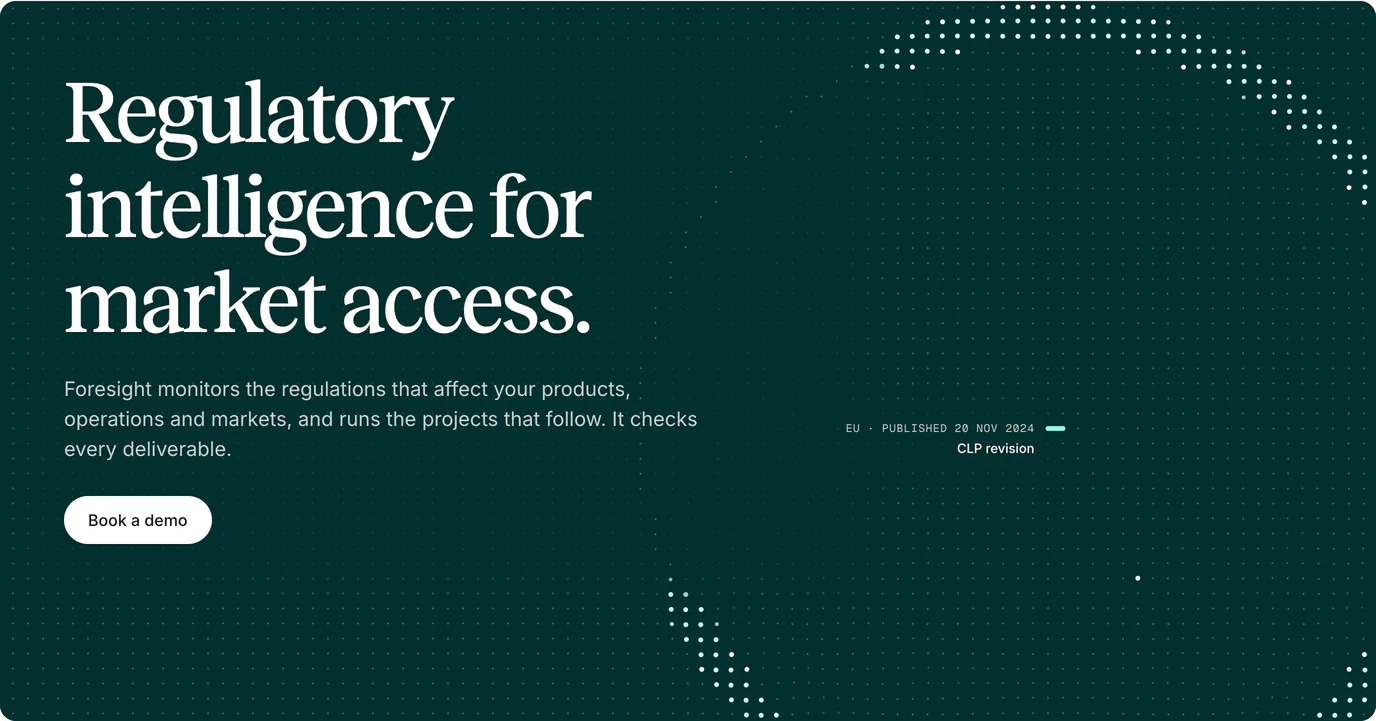
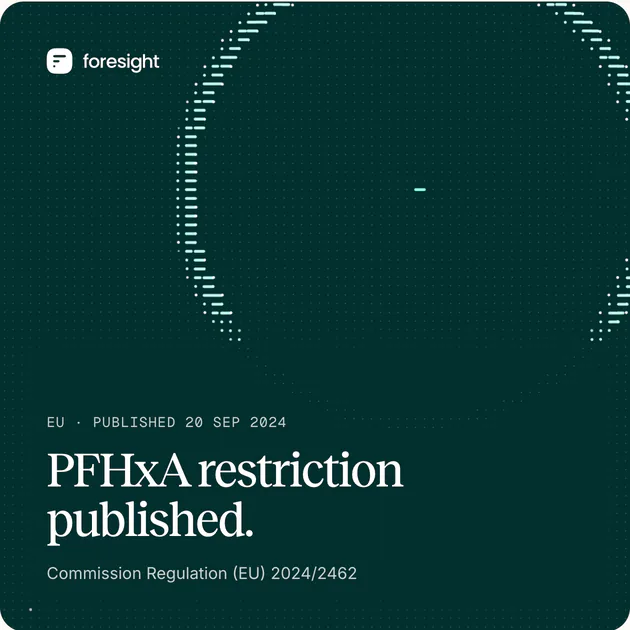
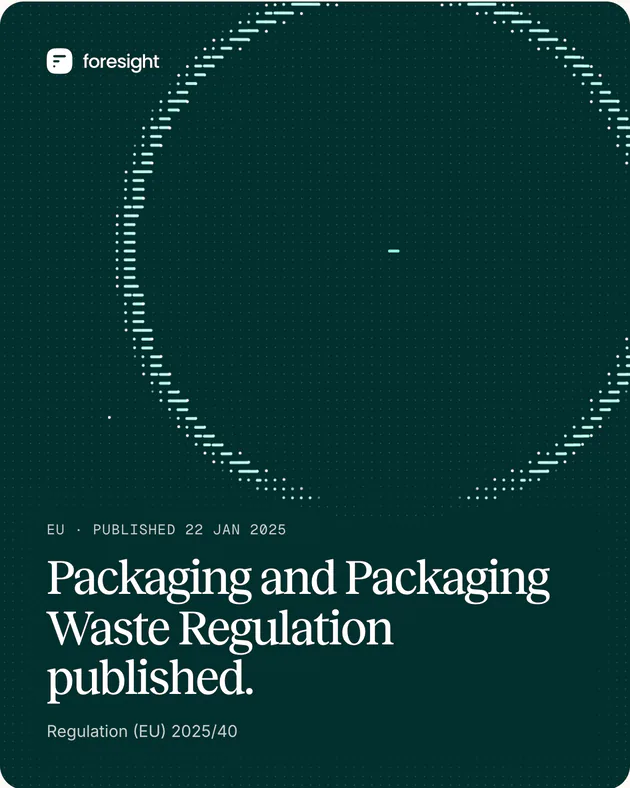
The Signals field is built from the logo’s three parts. Thousands of points rest as dots on a lattice. A few lift into the mark’s shapes and settle again, and real regulatory events strike the field and disturb it.
Each event is real, checked against its official source, such as the EU’s PFHxA restriction or the Packaging and Packaging Waste Regulation. It lands roughly where its regulator is located, so EU events fall to the right of North American ones. The accent colour is kept for events and what they disturb, so a viewer can read cause and effect.
Each frame is worked out from a seed, the preset, the time, the events and the pointer, and nothing else. So the 16-second loop joins up with no seam, a still comes out the same every time, and a reader who asks for less motion gets the composed still.
The studio holds all eight presets. Arrival is the one in use, on the demo page, where Foresight’s live alerts strike a field on paper. The platform heroes stand on a still ground drawn from the same grammar, shown in the next part.
Arrival · Kept
A dated event, then a wave built from the mark’s parts, dots behind the front and lines at it. The clearest cause and effect.
Contours · Kept
Long lines draw the major contours and dots the minor ones, like a survey map. Too busy under a headline, so it’s for bands, article headers and print.
Reveal · Kept
The field hides a map of activity that only a lens round the pointer shows. It suits places people interact with, such as a hero. Here a scripted pointer moves the lens.
Traces · Kept
Hairline routes between points, for connection and propagation. It reads as a diagram, and it’s the quietest of the five at a distance.
Quiet · Kept
Little happens, so the words lead. It needs an event, its ring and its label to read as Foresight.
Current · Set aside
Dotted lanes with packets running left to right, like a timeline. Events read less clearly than in Arrival, and the lanes look like loading bars.
Interference · Set aside
Fringes between the regulators’ seats break into a scattered hatching, with no structure a reader can follow.
Field lines · Set aside
The field lines look like iron filings round a magnet, which we’ve parked.
08
Dots and lines
The five platform pages, for the Assistant, Documents, Lists, Workflows and Monitoring, are about software. There’s no material to photograph. Their heroes stand instead on a grid of faint teal dots 16 px apart, which we call resting points. Some of them lift into the logo’s dot, short line and long line, and draw the page’s idea, such as a lens for the Assistant or a table for Lists.
Every page uses the same dots and the same inks. Only the shape changes, so the five pages, their index and the newsletter look like a set. Before this, we tried a colour per page, then a material per page, then ink on sand.
Pick a page below to see its shape. Move your pointer over the ground and the points near it lift too.
Resting point
Pale teal at 20%, every 16 px
Dot
A resting point lifted to 38%
Short line
16 px long, drawn to the right
Long line
32 px long, drawn to the right
Lead mark
White at 50%, for the part the shape is about
Fixed spacing
Resting points sit 16 px apart at every width. A narrow screen shows fewer points at the same size.
Three marks
A point can lift into a dot, a short line 16 px long or a long line 32 px long. Lines start at their point and run right with round ends, like the lines in the Foresight logo. One clear space follows each mark, so two lines can’t join into a bar.
Three inks
Resting points are pale teal at 20%. A shape’s marks are the same teal at 38%. Its lead marks, the part the shape is about, are white at 50%. No page has a colour of its own.
Lined up at any width
Each shape is pinned to one point in its hero, and the grid shifts so a resting point lands exactly there. That keeps the shape on the grid at any width. A little noise, the same on every visit, roughens its edge so it doesn’t look stencilled.
Never cut off
An edge never slices through a shape. Behind a window that fills the hero, a shape fades out between 112 and 64 px from the window, so the margin shows only resting points. Beside a centred window the sides are open, and a shape fades out only in the last 40 px.
Phones get the points only
On a phone, the margin round the window is one point wide. That’s too narrow for a shape, so only the resting points draw. Shapes beside a window appear from 1440 px wide, where 208 px of open ground sits beside the window.
09
Drawings
Each sector page walks through a typical company in five line drawings. They run from its suppliers and sites to its products and markets, and end with its spares, shelves or fields. Each step carries one rule. The suppliers, the factory and the export quay are the same on every page. The rest are drawn for each sector.
They’re plain ink on the page’s paper. Each one draws itself in once, as it scrolls into view.
10
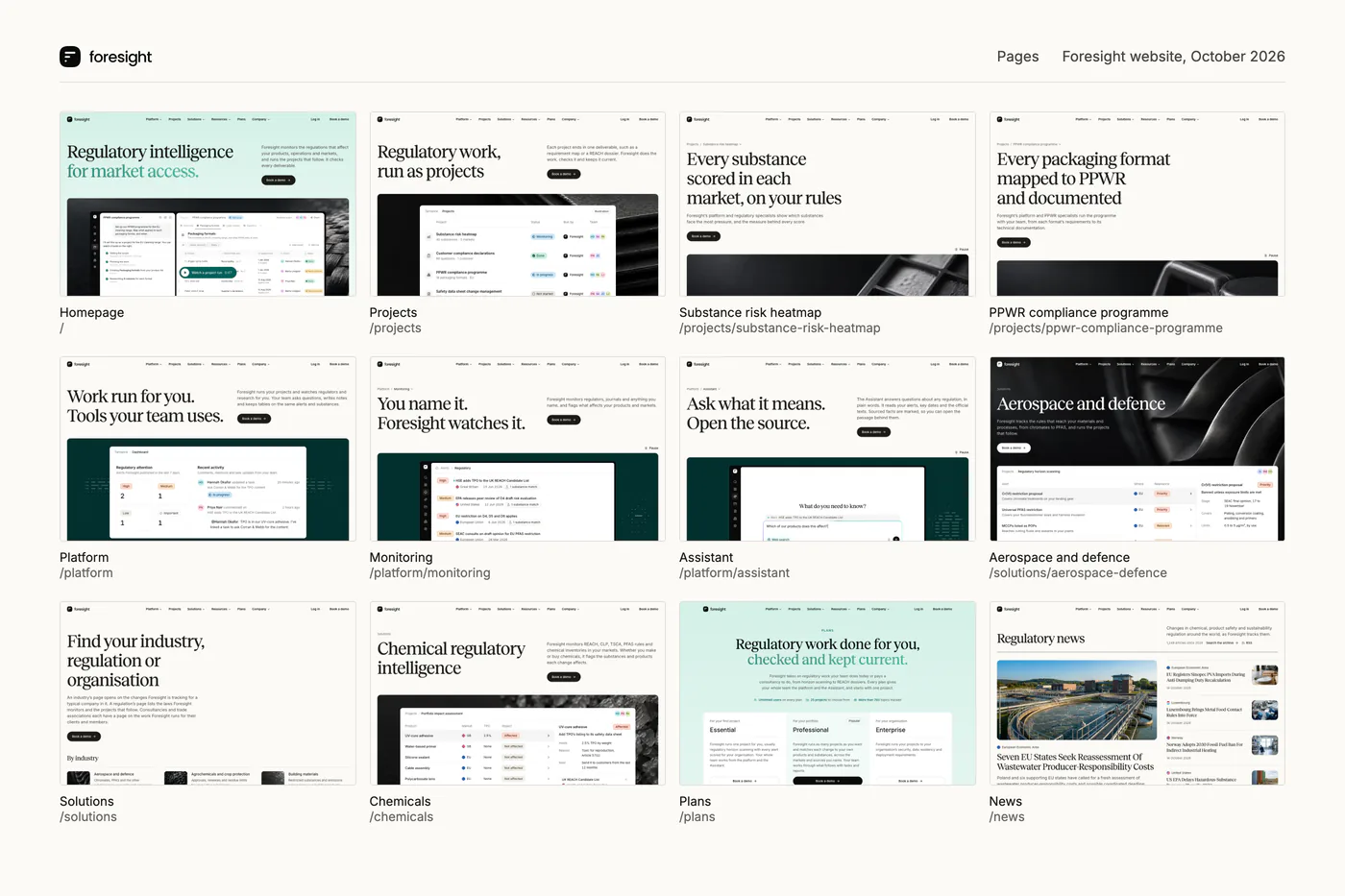
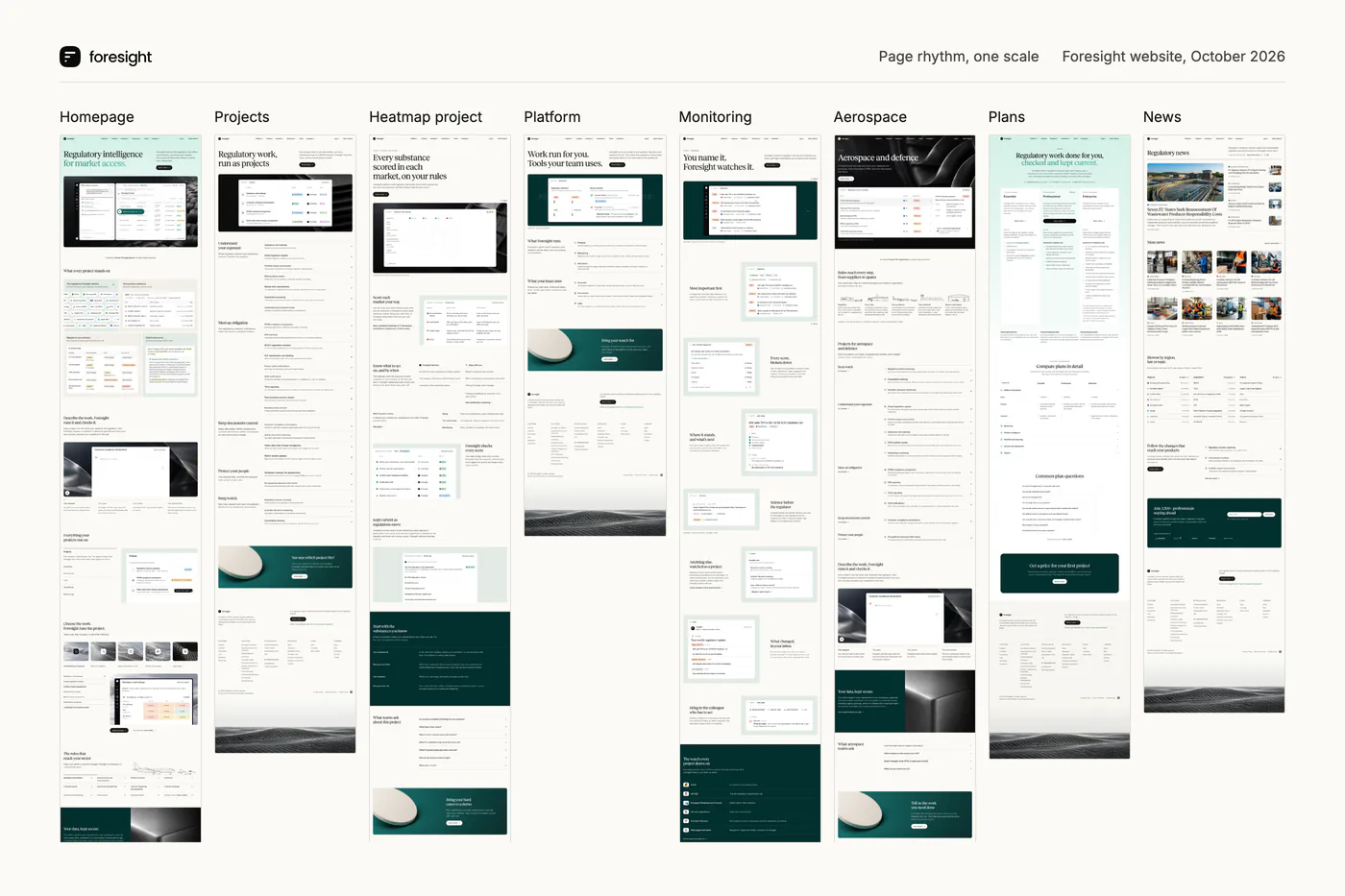
The pages side by side
Those parts made forty-five pages: twenty-five projects, five platform pages, four regulatory areas and eleven sectors. The top of each page changes to suit its subject. Below it, every page uses the same feature rows, so a reader who has learned one page can find their way round the rest.
11
Map and footer
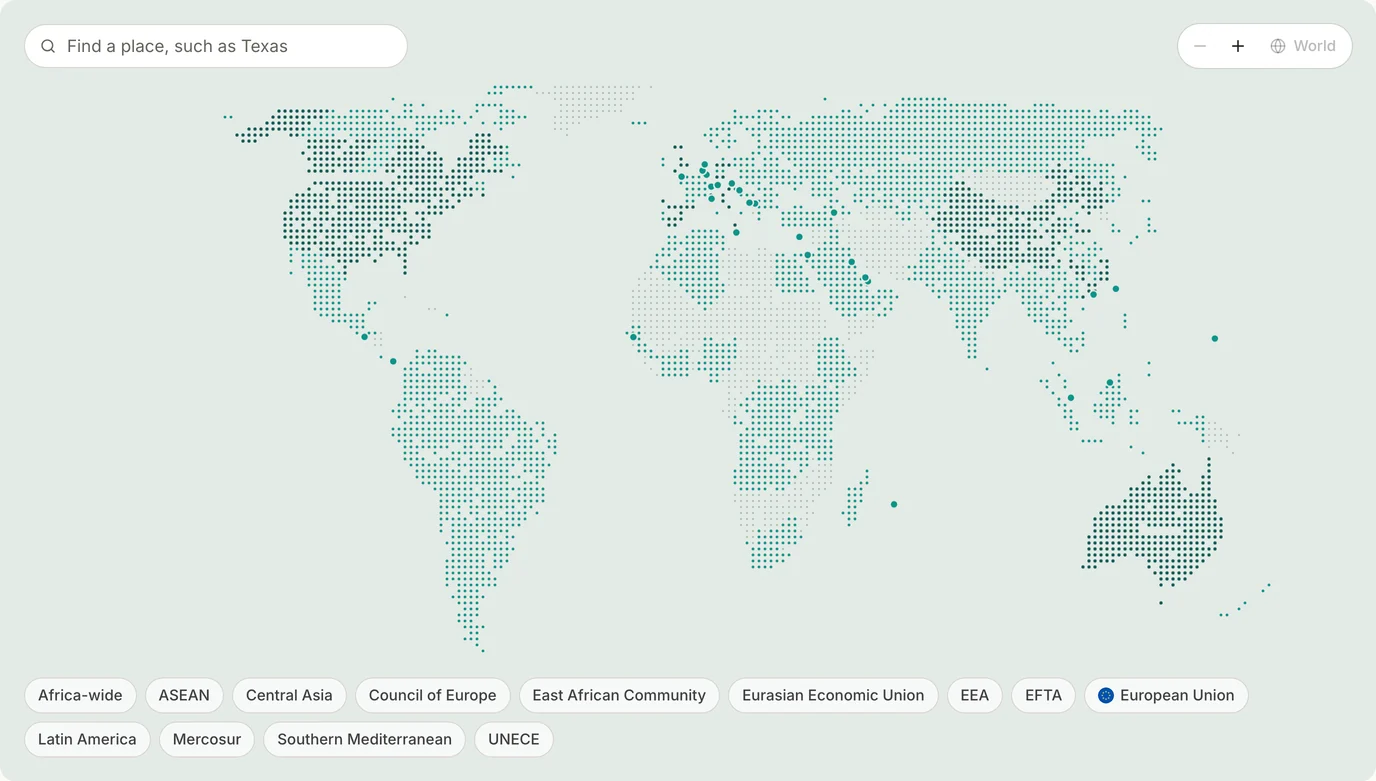
The coverage page shows every country and region Foresight watches on one flat map.
The footer ends every page on the carbon weave the homepage opens with, rising out of a mist that fades into the paper.
12
Blog covers
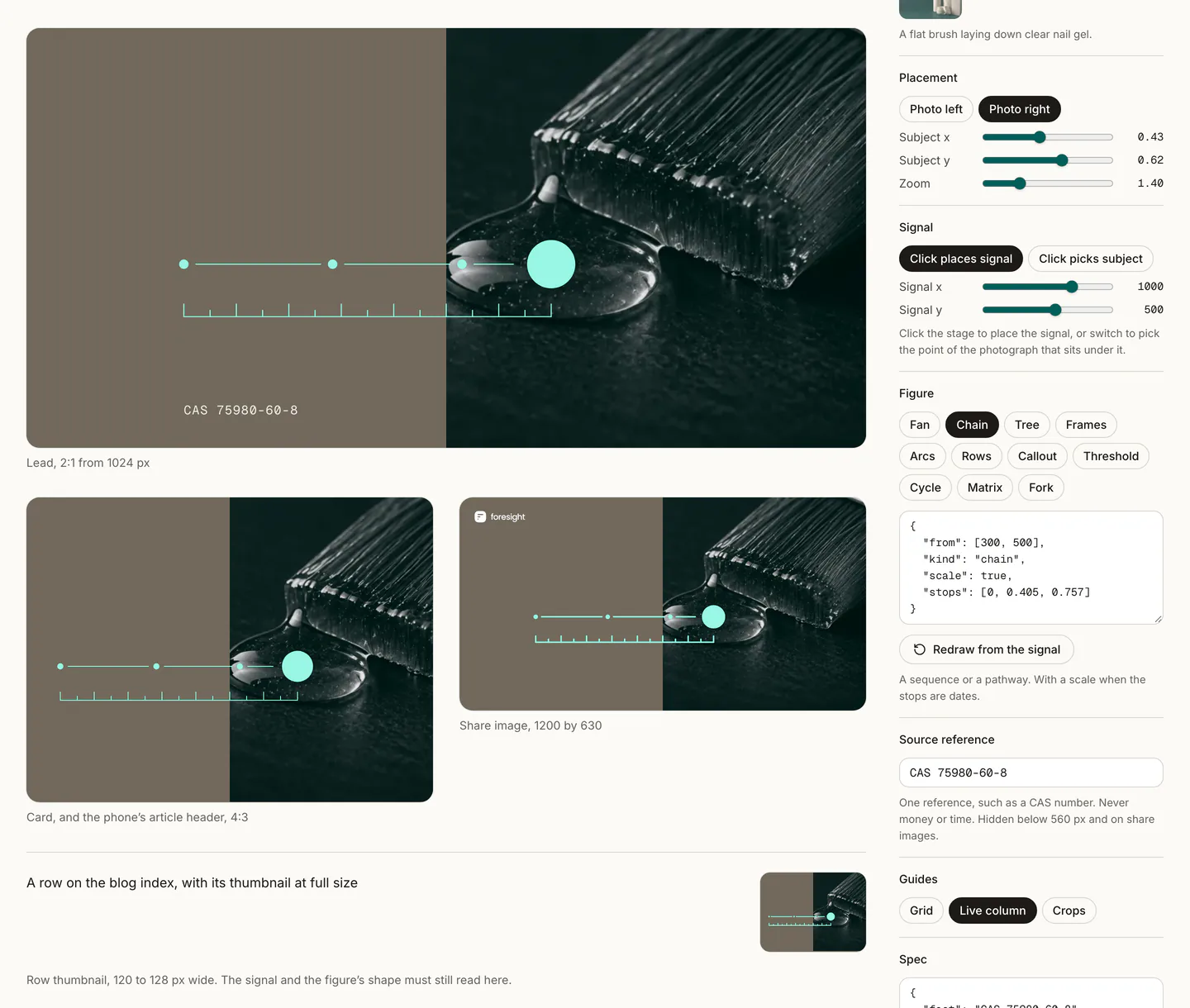
The blog came last. Each post had its own illustration, made one at a time. We first asked the agents for a dither studio, a page of sliders that turns a picture into a pattern of dots. We liked what it made, but it didn’t fit with the rest of our brand direction.
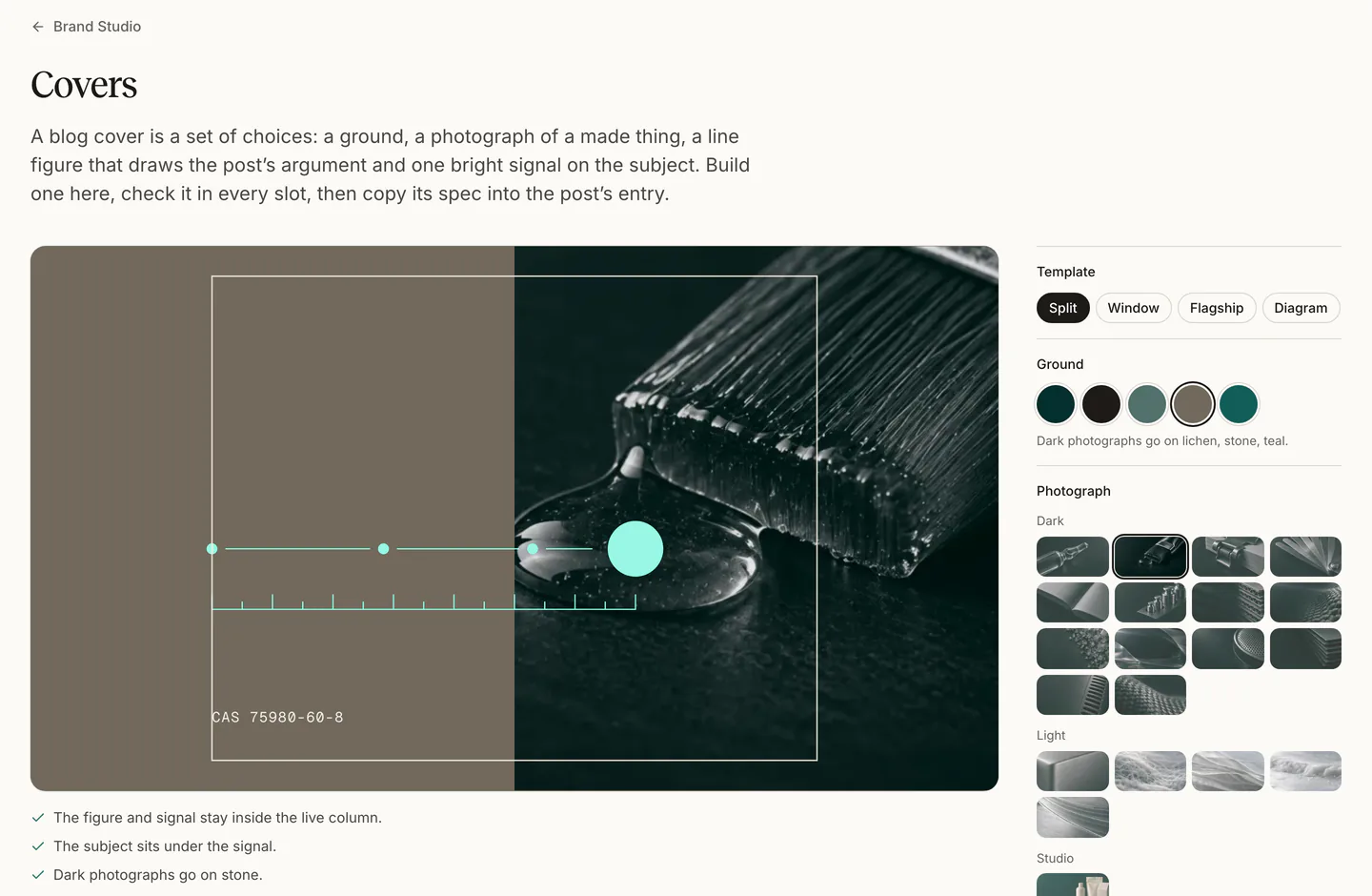
We wanted covers that look like a set, following the same rules. A Foresight cover now picks from a few fixed parts: five flat grounds, one accent colour, graded photographs of made things and a set of line figures. Four templates decide where each part goes.
The post’s argument picks the figure. The buyer’s guide asks ten questions, so its feeler gauge fans out into ten lines. Each post’s share image is drawn from the same choices, so the link preview matches the cover.
A covers studio builds each one. We pick the parts and place the signal, the studio checks the cover in every slot it will appear in, and we copy its spec into the post’s entry.
13
What didn’t make it
Most parts of the site went through more than one direction. These five got furthest before we dropped them. The three Signals presets we set aside are in part 07.
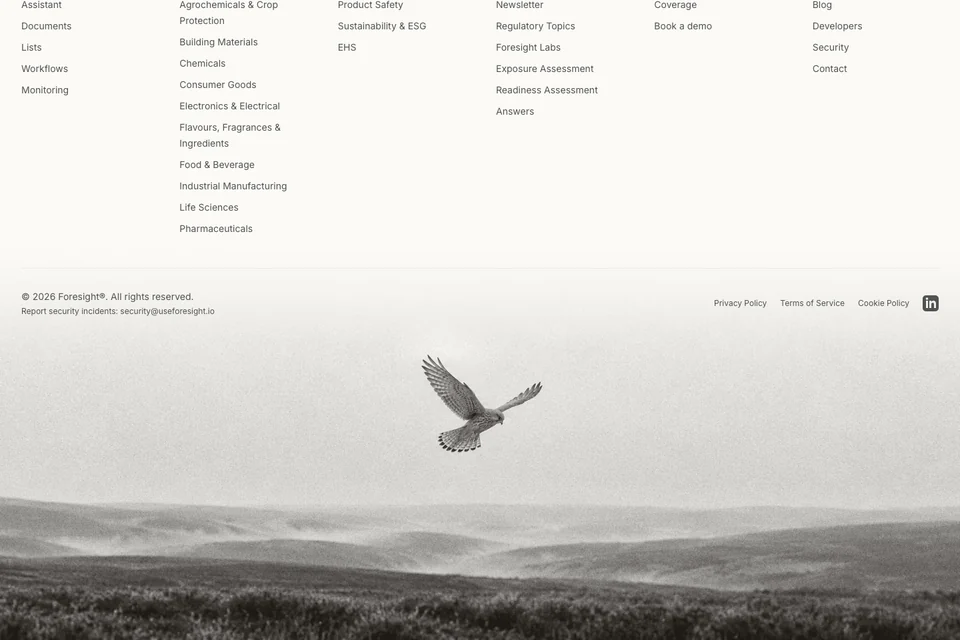
A kestrel over moorland for the footer. We chose the carbon weave instead, so every page ends on the material the homepage opens with. 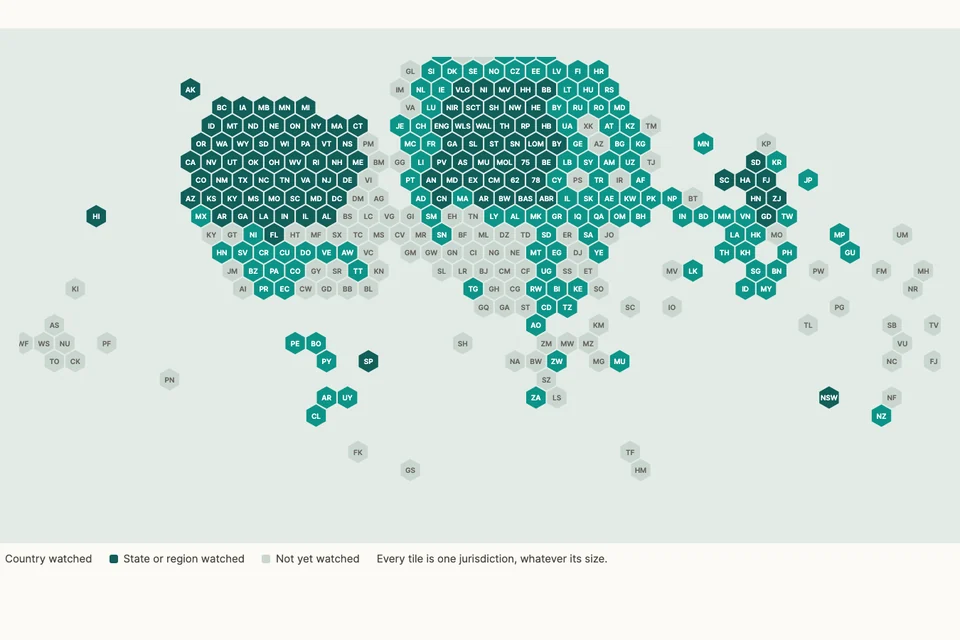
A hex cartogram for the coverage map, one tile per jurisdiction. It was fair to small countries, but hard to recognise at a glance. 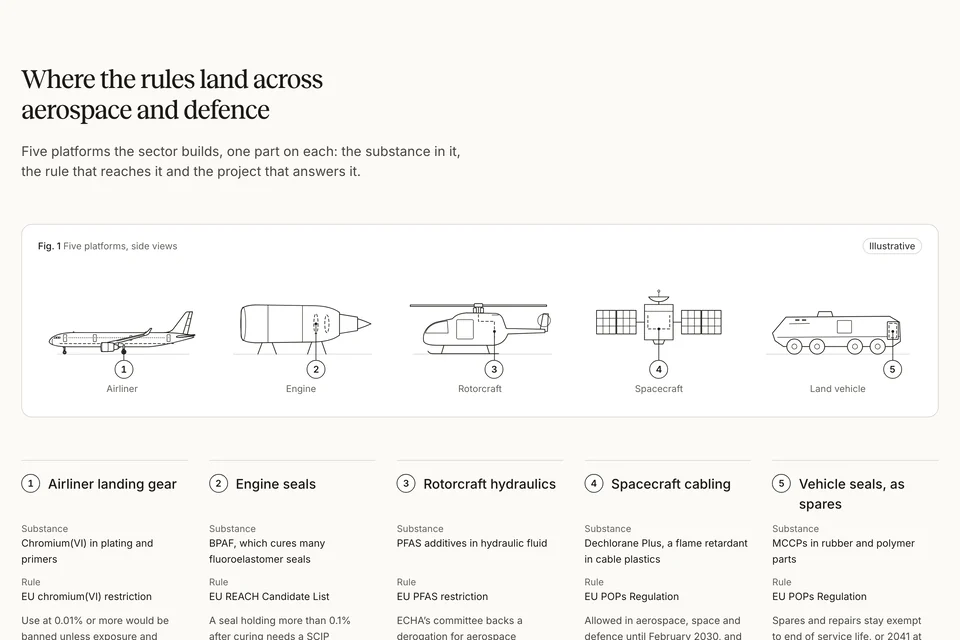
Five aircraft and vehicles for the aerospace and defence page. We swapped them for drawings of how a company runs, from suppliers to spares, which every sector could use. 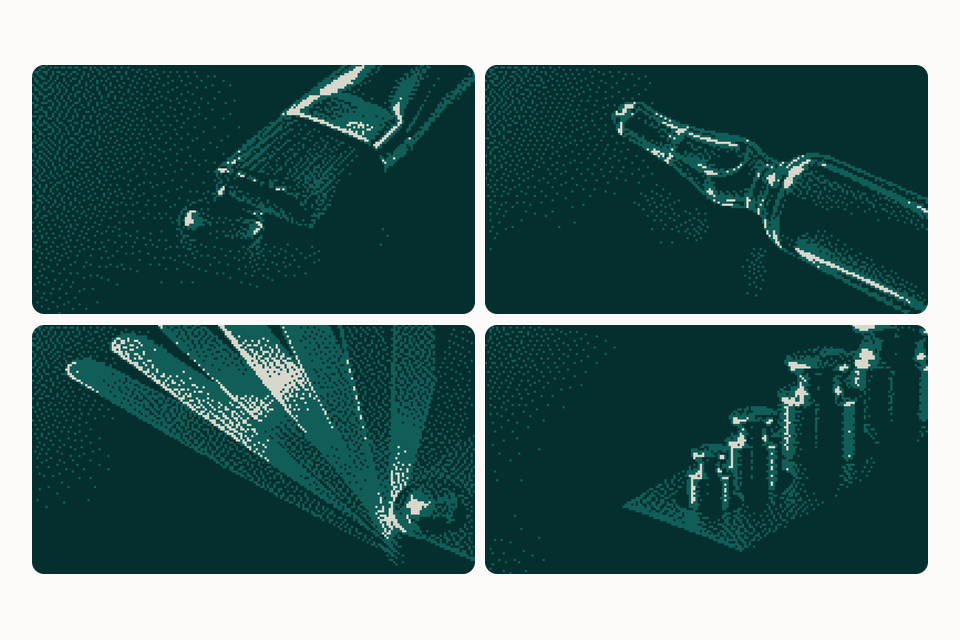
Covers from the dither studio, made from macro photographs of the same objects today’s covers use. We liked them, but they didn’t fit with the rest of the brand. 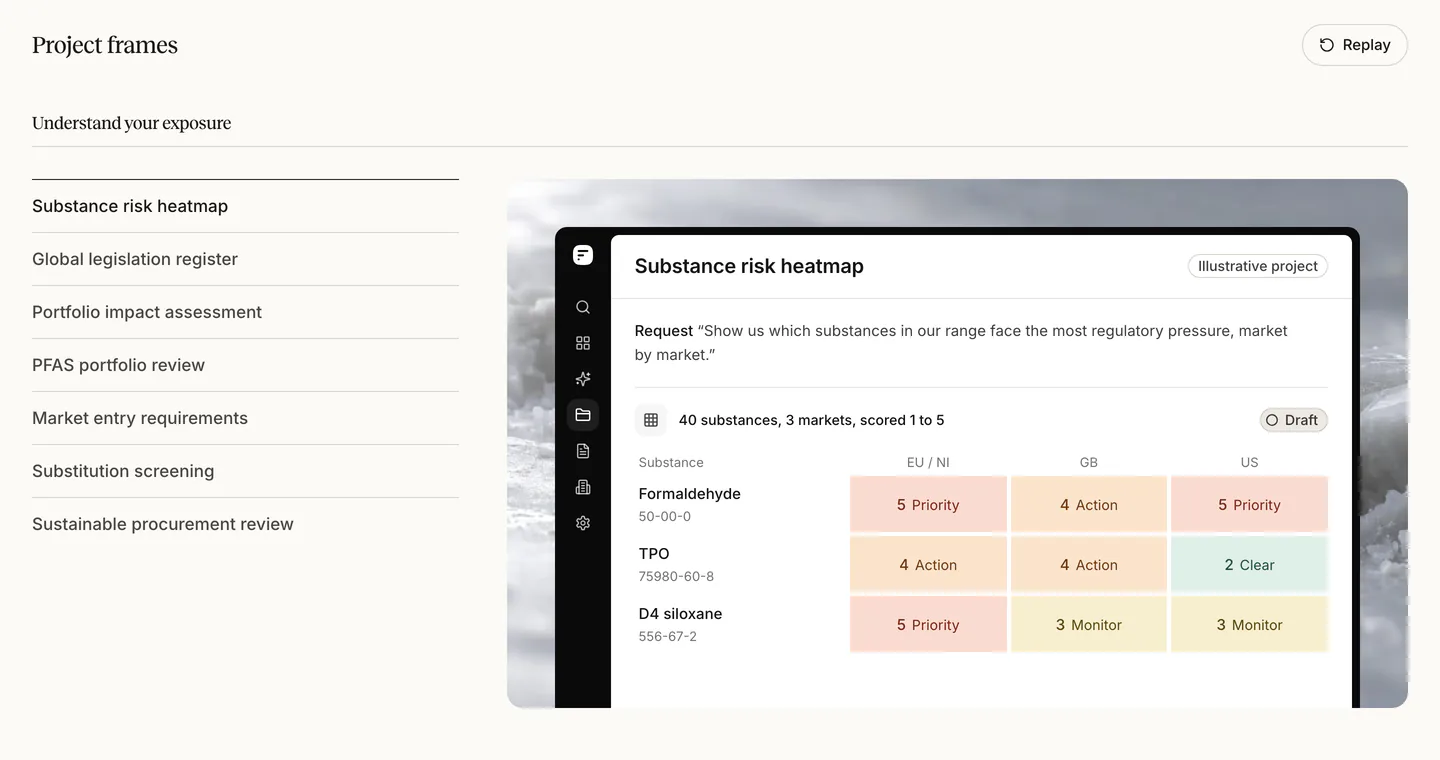
Three ways to frame a project in the catalogue, each tried on the same three projects: the deliverable on its own, the deliverable as the answer in a chat, and the deliverable beside the evidence for one row. We kept the first, cut every frame to three rows at most and gave each one beat of motion, such as a cell taking its score. The review bench now shows only the kept version, for all twenty-five projects.
14
How it came together
Every page after the first was built from the first page’s parts. This is the order it happened in.
The brief
Show projects at work, to a sceptical reader.
One page first
The substance risk heatmap’s page, finished before any other was started. Its type, colours and product window became the rules.
Shared parts
Two typefaces, six type sizes, seven colours and one set of badges.
Pages
Forty-five pages, each built from those parts.
Photography
Photographs of made things, generated in a studio of our own and measured against each other.
Drawings and film
Five line drawings for each sector page, and the launch film, with every line of text held long enough to read.
Launch
A last pass at phone, tablet and desktop widths, then launch.
After launch
Blog covers from one system, a material of its own for each of the twenty-five project pages, and the logo rebuilt from five numbers.
15
Credits
We directed the work. AI coding agents wrote the code.
- Design and direction
- Jonny Campbell
- Build
- AI coding agents, directed by Jonny Campbell
- Photography
- Generated with OpenAI’s image models
- Type
- Reckless by Displaay. Inter by Rasmus Andersson.
- The data in the pictures
- Illustrative. The companies, people and records are made up.